How to Get More Yelp Reviews
Service providers use QR Pad to turn happy customers into 5-star reviews—in seconds. No more asking, no more forgetting.
Case Study: Moving Company
"In 6 months we collected over 50 Yelp reviews — more than we got in over a year before. When a customer wants to leave a review, QR Pad makes it effortless. People take to it naturally — "Oh, sure, let's do it" — instead of having to search for the business and type it all out."
— Ben, Take it Easy Moving · takeiteasymoving.com
- Product
- iPhone app
- Pricing
- Free tier · Pro $36.99/mo
- Supported review sites
- Yelp, Google Business Profile
- Web dashboard
- None — designed for the phone in your hand
- Printed card
- Not required — show the QR on your screen
A Yelp Review QR code is a scannable code that opens your Yelp business page directly to the review form, so a happy customer can leave a 5-star review from their own phone in one tap.
Why Don’t Customers Leave Reviews?
You do great work. Your customers are happy. But when you ask for a Yelp review, you get a ‘yes’ that never turns into a 5-star rating. Why? Because the process is filled with friction:
- They have to open the Yelp app.
- Search for your business name.
- Find you in the results.
- Tap ‘Write a Review’.
- Then finally start writing.
By the time they get home, the moment is lost. It’s not that they didn’t want to—it’s that it was too much work.
One Scan. One Moment. One More 5-Star Review.
QR Pad eliminates every single one of those steps. Your customer scans a simple QR code and is taken directly to your Yelp review page.
No searching. No typing. No friction. Just a happy customer ready to leave a great review.
The Complete Guide to Getting More Yelp Reviews
Why Yelp Reviews Matter for On-Site Service Providers
For movers, carpet cleaners, handymen, and other mobile service providers, Yelp reviews are your digital storefront. When a potential customer searches for ‘movers near me’ or ‘carpet cleaning service,’ your Yelp rating is often the deciding factor between you and a competitor.
Studies show that 93% of consumers read online reviews before choosing a local business. A single extra 5-star review can increase your conversion rate by 10-15%. For a service provider completing 20 jobs per month, that’s 2-3 additional bookings—just from one review.
But here’s the problem: most service providers struggle to collect reviews. The traditional process is broken. You finish a job, the customer says they’ll leave a review, and then… nothing. They forget. They get busy. The moment passes.
How to Ask Without Being Pushy
Customers are most motivated to help right after you deliver value. On-site service providers have the advantage of being in the room for that moment. Say something like: “If you’re happy with the work, I’d appreciate a quick review — this QR code on my phone takes you straight there.” Show the code, done.
Don’t ask for a 5-star rating, don’t filter for happy customers only, and don’t trade incentives for reviews. For the longer playbook on what to skip, see Yelp review mistakes service businesses make.
Timing the Ask
The window of highest satisfaction is short. Ask immediately after completing the work and confirming the customer is happy — before payment, packing up, or any context switch. For the psychology behind why that moment matters and how it differs by service type, see why timing matters for Yelp reviews.
If a customer can’t scan on the spot, send a follow-up text within 24 hours — QR Pad lets you share the review link by message directly from the app. After 48 hours, response rates drop sharply. Keep it short, friendly, and focused on their satisfaction:
“Thanks again for choosing us today! If you have a moment, a quick review would mean a lot. Here’s the link 👇”
How It Works
Create Your QR Code
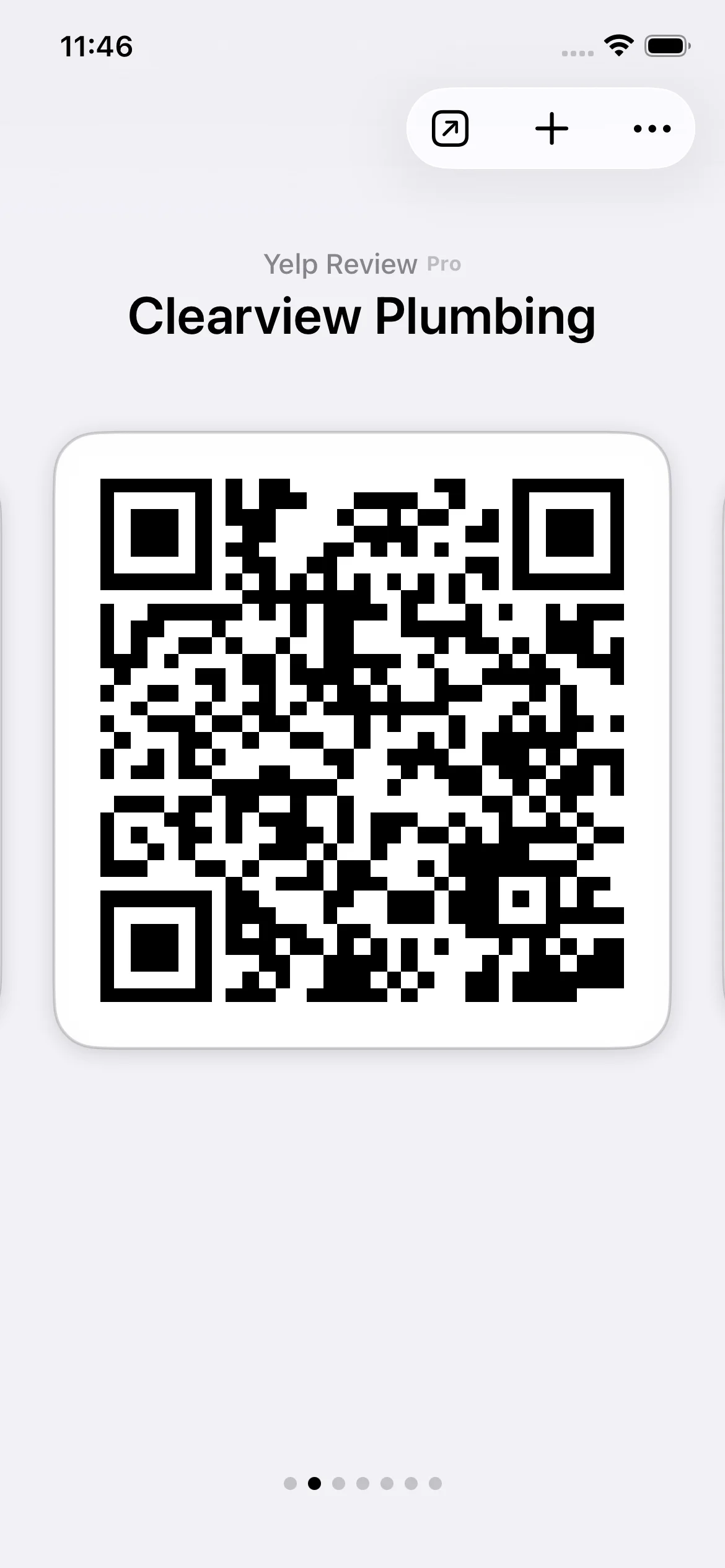
Inside the QR Pad app, select the 'Yelp Review' template and find your business. Your code is ready in 10 seconds.
Share at the Perfect Moment
Show the QR code right from your phone after the job is done. It's always with you, always ready.
Collect More 5-Star Reviews
Your customer scans, lands on your Yelp page, and leaves a 5-star review while they're still smiling about your service.
Perfect For Service Providers
Movers
After placing the last box, pull out your phone and show your QR code. They scan it right there and leave a review while they're still grateful for your careful handling of their belongings.
Carpet Cleaners
When the customer walks through and admires the freshly cleaned carpets, that's your moment. Pull up your QR code and say, 'If you're happy with how this turned out, I'd love a quick review.' One scan, done.
Handymen
Right after fixing the leaky faucet or installing the shelf, when the customer inspects your work and nods approvingly—that's when you present your QR code. Capture that satisfaction immediately.
Locksmiths
After successfully getting them back into their home or car, emotions are high and gratitude is real. Show them your QR code on your phone. They'll scan it on the spot.
Appliance Repair
When the dishwasher starts running smoothly again, the customer is relieved. Before you pack up your tools, show them your QR code. That relief translates into a positive review.
Pest Control
After treating the home and explaining the follow-up plan, show your QR code before you leave. Customers appreciate the professionalism and will scan it right away.
Mobile Detailers
When the customer sees their car gleaming in the sunlight, that's your review moment. Show your QR code while they're still admiring the shine. The wow factor drives the 5-star rating.
Home Organizers
After transforming a chaotic closet into an organized masterpiece, the customer is thrilled. Present your QR code before you leave. Their excitement will fuel a glowing review.
QR Pad vs. Other Review Request Methods
Not all approaches to collecting reviews are equal. Here's how QR Pad compares to traditional methods.
| Method | Effectiveness | Effort | Cost |
|---|---|---|---|
| QR Pad (Phone-Based) | ★★★★★ High (3-5x more reviews) | Minimal (show phone, one scan, done) | Pro subscription, always with you |
| Verbal Request Only | ★★☆☆☆ Low (5-10% follow-through) | High (customer must remember, search, find you) | Free, but ineffective |
| Text with Generic Link | ★★★☆☆ Medium (15-20% follow-through) | Medium (customer must click, search business) | Free, but time-consuming |
| Competitor Review Apps | ★★★☆☆ Medium (often track customer data) | Medium (multi-step flows, ads) | $10-30/month, often with tracking |
Simple, Transparent Pricing
QR Pad is free to download and includes unlimited QR codes for links, Wi-Fi, and text. Upgrade only when you're ready to supercharge your reviews.
Pro Subscription
$36.99/month
A single extra 5-star review can bring in enough new business to pay for the subscription for a year.

Frequently Asked Questions
How do I create a Yelp Review QR code?
Download QR Pad from the App Store. In the app, tap 'Create QR Code', select the 'Yelp Review' type, and search for your business. The app automatically generates a QR code that links directly to your Yelp page.
Do my customers need a special app to scan the code?
No. Any modern smartphone (iPhone or Android) can scan the QR code using its built-in camera app. There is nothing for your customer to install.
Do the QR codes expire?
No. All QR codes created with QR Pad, including free and Pro codes, are permanent and never expire. They will work forever.
What's the best way to share my Yelp Review QR code?
The most effective way is to show it on your phone at the moment of highest customer satisfaction—right after completing the job. The app keeps your QR code instantly accessible, so you're always ready to ask for a review.
What if I also want Google Review QR codes?
Google Review QR codes are included in the same QR Pad Pro subscription. See our Google Review QR Code Generator page for details. One subscription, both platforms.
Are these QR codes Yelp-compliant?
Yes. QR Pad creates direct links to your public Yelp review page, which is fully compliant with Yelp's guidelines. You're simply making it easier for customers to find your business and leave honest feedback.
Do I need to print my QR code?
No. QR Pad is designed to work right from your phone—no printing required. Just open the app and show your QR code to customers. It's always with you, always ready, and you never run out.
Can I try it before I subscribe?
Absolutely. QR Pad is free to download and use for creating unlimited link, Wi-Fi, and text QR codes. You can see the Pro features and subscribe whenever you're ready.
How do I cancel my subscription?
You can cancel your subscription at any time through your Apple ID settings in the App Store. It's a simple, standard process with no hidden fees.