Built for service professionals No ads.

Turn Every Customer Into a 5-Star Review

QR Pad is the iPhone app for service providers. Create free QR codes instantly, or upgrade to Pro and turn every happy customer into a 5-star review on Google or Yelp.

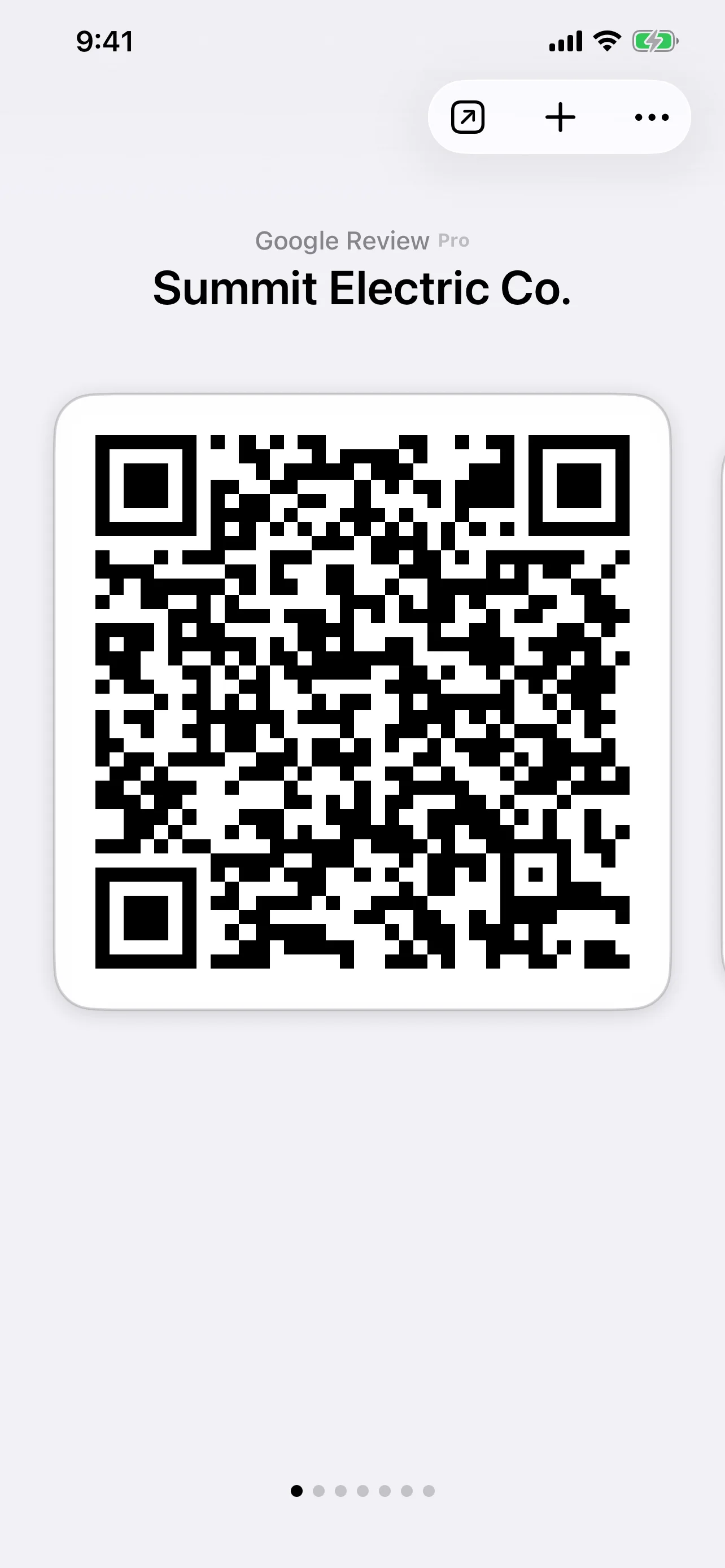
Screenshot of the QR Pad iPhone app showing a review QR code ready to share with a customer.

From Scan to Review in Seconds

Create. Share. Get Reviews.

QR Pad removes the friction that usually stops customers from leaving a review. They go from scanning a QR code to leaving a 5-star review in seconds—no searching, no typing, no hassle.

01

Create Your Review QR Code

In the QR Pad app, select a review template, choose Google or Yelp, and enter your business details. Your unique QR code is ready in seconds.

02

Share It With Customers

Show your QR code right from your phone at the perfect moment—right after a successful job. No printing, no hassle, just pull up the app.

03

Grow Your Reputation

Customers scan the code and are taken directly to your review page on Google or Yelp. More 5-star reviews mean more business.

Built for On-Site Teams

Perfect for Service Providers

Designed for professionals who work at customer locations and need reviews the moment the job is done.

Review Growth Playbook

How On-Site Crews Get More Reviews

A simple, repeatable workflow service providers can use to turn every completed job into a review opportunity.

1

Have Your QR Code Ready on Your Phone

Before heading to the customer's location, open QR Pad and have your review QR code ready. The app keeps it instantly accessible—no fumbling, no searching.

Pro tip: Add QR Pad to your phone's home screen or dock for one-tap access. When the carpet cleaner finishes the living room, you can pull up your QR code in seconds. The app is always with you, always ready.

2

Show It at the Perfect Moment

The best time to ask for a review is right after you've completed the work and the customer is visibly satisfied. This is when their positive experience is fresh and they're most motivated to help you.

For movers: Show your phone with the QR code right after the last box is placed. For handymen: Pull it up when the customer inspects your work and smiles. For mobile detailers: Display it when they see their car gleaming. Your phone is always with you—timing is everything.

3

Make It Effortless

Simply say: 'If you're happy with our work, I'd really appreciate a quick review. Just scan this code and it takes you right there.' Then show your phone with the QR code. No typing, no searching—they scan and they're on your review page in seconds.

The key is removing all friction. Traditional review requests ask customers to remember your business name, search for your profile, find you, and then write. That's several steps. With QR Pad on your phone, it's one scan.

4

Follow Up via Text (Optional)

If the customer doesn't scan immediately, you can text them the review link from the app. QR Pad makes it easy to share via message. This gives them a second chance to leave a review when they have a moment.

Sample text: 'Thanks for choosing us today! If you have a moment, we'd love a quick review. Here's the link 👇' Many customers appreciate the reminder and will follow through within 24 hours. The app keeps everything at your fingertips.

Use this workflow consistently after completed jobs. One extra review per month can pay for your Pro subscription if it brings in even one new job.

QR Pad vs. Generic QR Generators

Not all QR code generators are built for service businesses. Here's why QR Pad is different.

Feature QR Pad Generic Generators
Direct to Review Page ✓ One scan, customer lands on your review page ✗ Links to generic pages or requires manual search
Field-Ready Templates ✓ Pre-built templates for movers, cleaners, contractors ✗ Generic URL shorteners with no context
Permanent QR Codes ✓ Never expire, unlimited scans ⚠ May expire or require paid plans for permanence
Mobile-First Design ✓ Always on your phone, instant access, no printing needed ✗ Desktop-first tools, clunky mobile experience

Free QR Code Generator

All the essentials, always free.

QR Pad isn't just for reviews. It's a complete QR code toolkit with unlimited, permanent QR codes for links, Wi-Fi, text, and more—all for free.

  • Free QR Codes That Never Expire

    Create unlimited static QR codes for URLs, Wi-Fi networks, and text. They are free, permanent, and never expire.

  • No Sign-Up Required

    Download the app and start creating QR codes instantly. No registration, no watermarks, no nonsense.

  • Works With Any Camera

    Your QR codes scan perfectly with any modern smartphone camera—no special app required for your customers.

Upgrade for Pro Power

Review QR Codes That Convert

Send customers straight to your review page with zero friction.

  • Dedicated review QR codes for Google and Yelp with your business pre-loaded
  • Unlimited review QR codes and saved templates
  • Priority support for your business needs

ROI

One extra 5-star review a month can pay for the subscription.

$36.99/month

Ready to grow your business?

Get More Reviews. It's That Simple.

Download QR Pad today and see how easy it is to turn happy customers into your best marketing asset. Start for free, upgrade when you're ready.

Download on the App Store

Support

Frequently Asked Questions

Is QR Pad really free?

Yes. QR Pad includes a powerful free QR code generator for links, WiFi, and text with no sign-up, no expiration, and no hidden fees. You only need to upgrade if you want the specialized Review QR Code features.

Do my QR codes expire or have scanning limits?

No. All static QR codes you create with QR Pad are permanent. They never expire and have unlimited scans.

What types of QR codes can I create for free?

You can create unlimited QR codes for website URLs, Wi-Fi networks, and plain text in the free tier. The Pro subscription adds specialized review QR codes for Google and Yelp.

Do I need to sign up to create QR codes?

No account or sign-up is required. Download QR Pad from the App Store and start generating QR codes immediately.

Can customers scan the QR codes with any phone?

Yes. Any modern smartphone camera (iPhone or Android) can scan QR codes created with QR Pad. Your customers do not need a special app.

Can I add a logo to my QR codes?

Currently, QR Pad focuses on clean, highly scannable QR codes to ensure the best reliability. Customization options, including logos, are on our roadmap.

What review platforms does QR Pad support?

QR Pad Pro creates review QR codes for Google and Yelp. Select your platform, find your business, and your QR code is ready in seconds. Free tier still creates unlimited URL, Wi-Fi, and text QR codes.