QR Pad vs. NFC Review Cards
The mobile-first review tool field-service pros use instead of NFC cards. No cards to carry, no reorders, no broken chips — just the iPhone you already bring to every job.
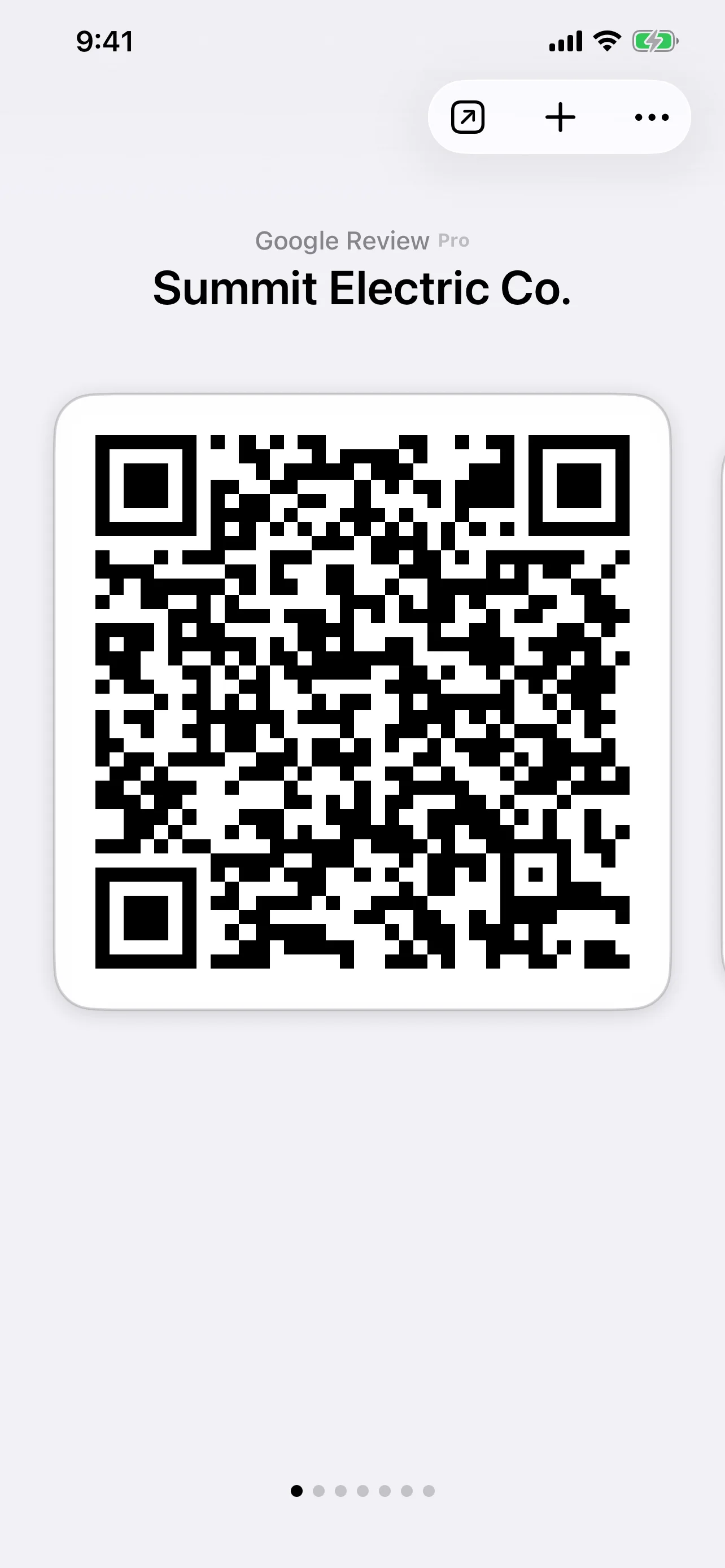
- Product
- iPhone app
- Pricing
- Free tier · Pro $36.99/mo
- Hardware required
- None — the iPhone you already carry to every job
- Reorders
- Never
- Customer phone requirement
- Any modern smartphone with a camera — no NFC, no app to install
- Review platforms
- Google Business Profile, Yelp
An NFC review card is a small plastic or metal card with an embedded near-field-communication chip; the customer taps their phone to the card and their browser opens your review page. The alternative — and the one QR Pad makes possible — is to skip the physical card entirely and let the customer scan a QR code that lives on your phone.
Where NFC Review Cards Came From
NFC review cards were designed for businesses with a fixed location and a counter. A dental office leaves cards by the front desk; a restaurant tucks one into the check holder; a salon puts a stand on the reception desk. Customers tap on the way out, while the experience is still fresh. The form factor works because the customer and the card are both standing still, in the same place, at the same time.
That is not how field-service work runs.
Why the Card Form Factor Fights Field Service
The contractor moves. The card has to come along. Every additional thing the contractor has to carry, replace, or reorder is an opportunity for the workflow to break:
- The card is in the truck and the customer is at the door
- The card has a smudged QR and a worn-out NFC chip after eighteen months
- The reorder is six weeks late and you ran out last Thursday
- The new crew member never got their stack
- The branding changed and the cards are out of date
Most service businesses would adopt a review-card program, use it for two months, lose half the stack, and quietly drop it. The phone never has that problem because the phone is the one piece of hardware that already shows up to every job.
What Actually Happens in the 30-Second Window
A customer is happiest in the seconds right after the work is done. That window closes fast — they pay, they thank you, they pivot to the next thing in their day. The review you collect in that window is worth more than the review you might collect through a follow-up email three days later.
In that window, the question is not “is the QR code on a card better than the QR code on a phone?” The question is “which one is actually in my hand right now?”
For field-service work, the phone wins because the phone is the device you cannot leave behind without breaking your day.
When NFC Cards Do Make Sense
NFC cards are not a bad product. They are a great product for the wrong workflow. They make sense for:
- Restaurants and cafés — the card lives on the table or near the register
- Dental offices, salons, vet clinics — the card lives at the front desk
- Hotel check-in, retail stores — handed out at point of sale with the receipt
If that describes your business, NFC cards may serve you well. If your business looks more like “I drive to the customer, do the work, and leave,” QR Pad is the tool built for the workflow you actually run.
How QR Pad Compares for Mobile Field Work
| Need | NFC card | QR Pad |
|---|---|---|
| Always with you | Only if you remember the card | Yes — same device you carry anyway |
| Customer-side requirement | NFC-capable phone, close-range tap | Any phone with a camera |
| Hands-busy moments | Hard to present a card with full hands | Phone is already in your pocket |
| Inventory & loss | Reorder cycles, lost cards, worn chips | None |
| Customization | Reprint to change | Change in-app instantly |
| Cost over a year (3-person crew) | $20–150 × 3 × reorders | $36.99/mo Pro per user |
What QR Pad Is and Is Not
QR Pad is an iPhone app for field-service contractors. There is no web dashboard, no team console, no enterprise feature ladder. It is the phone-based tool for the part of the day when you have already done the work and now you need to ask.
If you came here looking for NFC review cards, you may still be the right buyer for them — if your business runs from a counter. If your business runs from a truck, a service van, or the customer’s home, the phone is where the review collection belongs.
Try it free from the App Store, use it on your next job, and decide on the third or fourth one whether the workflow holds. Pro is $36.99/month — one extra review per month is the bar.
How It Works
Pull up the QR code on your phone
The same moment you would hand over a card, you open QR Pad instead. Your code is already there — pre-loaded with your Google Business Profile or Yelp page. No rummaging in the truck.
Show it to the happy customer
They scan with their phone's camera. No app to install, no NFC tap, no proximity dance. The review page opens in their browser on their own phone.
They leave the review on the spot
Signed into their Google or Yelp account as usual. You pack up, the review goes live. No card to retrieve, no follow-up email, no chip to worry about wearing out.
Perfect For Service Providers
Movers
You finished the move. The customer has already paid. Your tablet's in the truck, the printed cards are somewhere in the cab. Your phone is in your hand — pull up the QR. A card you forgot in the truck does not help you in this 30-second window.
HVAC Technicians
Service calls run on tight schedules. You're not bringing a stack of NFC cards to every appointment — you're bringing the iPhone you carry for dispatch and invoicing anyway. The review tool lives on the same device you already need.
Locksmiths
Emergency calls happen at 11 pm, in poorly lit driveways, with customers who are relieved and grateful. You're not handing out branded cards in the dark. You are showing your phone — and the customer scans because they want to.
Mobile Detailers
The car is gleaming. The customer is photographing it for their own socials — their phone is already out. Show your QR code. They scan and review in the same 30 seconds it would take them to tap an NFC card that's now in the cup holder of the next driveway.
NFC Cards, Printed Cards, and QR Pad at a Glance
Each works in a different moment. Here is how the trade-offs line up for a field-service workflow where you are moving from job to job.
| Method | Effectiveness | Effort | Cost |
|---|---|---|---|
| QR Pad (Phone-Based) | One scan from the customer's own phone, in the moment | Minimal — open the app, show the code, done | Pro $36.99/mo, no per-card costs |
| NFC Review Card | Tap-to-action — but customer phone must support NFC and be close enough | Carry cards on every job, replace lost ones, reorder | $20–150 per card or pack, plus recurring reorders |
| Printed QR Card | Scannable from any camera — but only if the card is in your hand | Carry, hand out, reprint when info changes | Per-card printing, reprint cycle when branding shifts |
| Email or Text Follow-up | Loses the in-person moment — conversion drops sharply once the customer leaves | Type into CRM, copy-paste links, chase replies | Free, but the moment of highest satisfaction is gone |
Simple, Transparent Pricing
QR Pad is free to download and includes unlimited QR codes for URLs, Wi-Fi, and text. Upgrade only when you are ready to use Google or Yelp Review QR codes.
Pro Subscription
$36.99/month
One extra review per month can help justify the subscription. For a three-person crew, the cost of reordering NFC cards across a year often covers QR Pad twice over.

Frequently Asked Questions
Don't NFC cards look more professional?
Customers grade the work, not the form factor. Showing the QR on your phone reads as personal and direct — and you skip the awkward 'where did I put that card?' moment. The crews getting the most reviews ask every time; what makes that consistent is the tool always being with you.
What if my customer's phone doesn't support NFC?
Most iPhones since 2014 and most Androids since 2012 support NFC reads, but cheap or older models still don't. A QR code works on any modern smartphone with a camera — iPhones since iOS 11 (2017) scan QR codes natively, and Android added the same support around the same time. You don't have to ask the question.
What if my phone is dead?
Same problem you would have with a forgotten NFC card. Service-business hygiene: keep your phone charged. The difference is that your phone is a tool you can't operate without anyway — invoicing, dispatch, navigation — while a stack of cards is something you can forget without consequence, until the moment of truth.
Can I use both NFC cards and QR Pad?
Technically yes. In practice, most field-service users find the card usage drops off once the phone-based workflow is in place — and they stop reordering. If you already have a card program, leave it running and add QR Pad on top. You will see which one your team actually reaches for.
When do NFC review cards actually make sense?
Front-desk businesses with a fixed location and consistent foot traffic — restaurants, dental practices, salons, hotel check-in counters. The card sits on the counter; customers tap on the way out. That's a legitimate use case. QR Pad is built for the opposite shape of business: you go to the customer.
How is QR Pad different from a free QR generator I could print onto a card?
Two things. First, QR Pad pre-loads your business into Google Business Profile or Yelp so the code goes to your actual review page — not a generic short link that breaks if the tool shuts down. Second, QR Pad runs on the phone you already carry, so there is no printer, laminate, or reorder cycle to manage.
Does QR Pad work with Google Business Profile?
Yes. Pro includes Google Review QR codes. See the Google Review QR Code Generator page for the Google-specific workflow.
Does QR Pad work with Yelp?
Yes. Pro includes Yelp Review QR codes. See the Yelp Review QR Code Generator page for the Yelp-specific workflow.
How do I cancel my subscription?
Cancel any time from your Apple ID settings in the App Store. Standard App Store subscription flow.