How to Get More Google Reviews
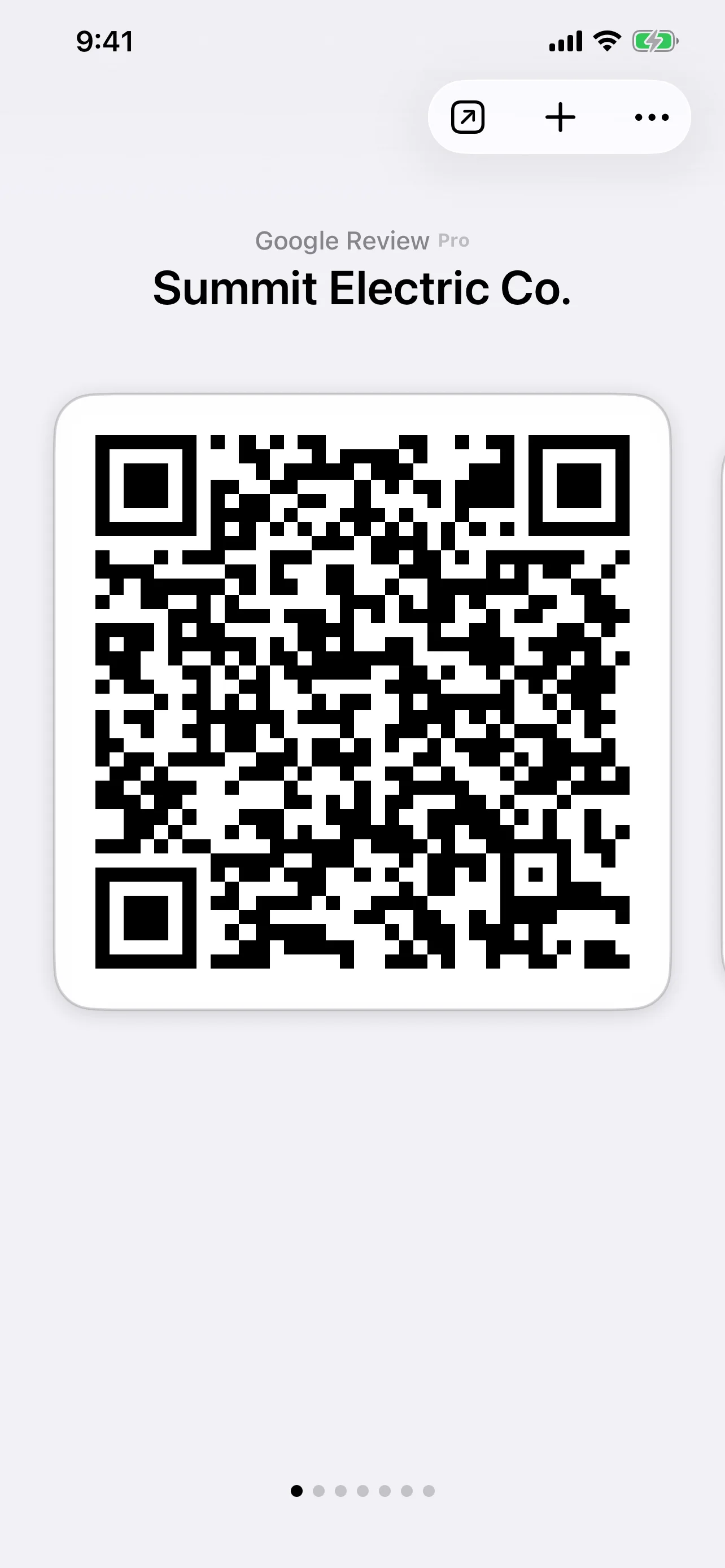
Create a Google Review QR code on your iPhone, keep it ready in QR Pad, and show it to customers right after the job. One scan, straight to your Google Business Profile review page.
- Product
- iPhone app
- Pricing
- Free tier · Pro $36.99/mo
- Supported review sites
- Google Business Profile, Yelp
- Web dashboard
- None — designed for the phone in your hand
- Printed card
- Not required — show the QR on your screen
Why Google Reviews Matter for Service Businesses
A Google Review QR code is a scannable code that opens your Google Business Profile review page so a customer can leave a review from their phone.
For service businesses — movers, cleaners, handymen, repair pros, contractors — Google reviews are where most local discovery starts. When a potential customer searches ‘movers near me’ or ‘plumber near me’, Google Maps and the Local Pack put star ratings front and center. The number, quality, and recency of your Google reviews shape whether they pick you over a competitor.
The hard part isn’t doing great work. The hard part is closing the loop: getting the happy customer to actually leave the review.
One Scan. One Moment. One More Google Review.
QR Pad removes the friction. Instead of asking the customer to remember your business name, open Google, search, find your profile, and write — you simply hand them your phone with a QR code on the screen. They scan it with their own phone and land directly on your Google review page.
No app to install. No searching for your business. Just the review form, ready to go — customers leave the review from their own phone, signed into their Google account as usual.
How to Ask for Google Reviews the Right Way
Ask in person, right after the job is done
Customer satisfaction is highest in the moment they see the finished work. That’s when the ask has the best chance of becoming an actual review. Show your QR code right then — not in a follow-up email two days later.
Don’t trade incentives for reviews
Google explicitly prohibits incentivizing reviews. Don’t offer discounts, freebies, or anything else in exchange for a review. Make asking easy, but let the quality of your work drive the rating.
Don’t filter or solicit only positive reviews
Google’s policy is that you can ask all customers for a review — but not selectively ask only the happy ones. QR Pad gives you a frictionless way to ask everyone consistently.
Make it part of your standard closing
The crews that get the most reviews don’t ask sometimes — they ask every time. Make showing the QR code part of how you close out a job, like collecting payment or scheduling the next visit.
When to Prioritize Google vs. Yelp
Google reviews shape what shows up when someone searches Maps or Google for a local service. Yelp reviews shape how you look when someone is browsing Yelp specifically. Most service businesses benefit from both, but the right priority depends on where your leads actually come from.
If most inbound leads find you through Google Maps or Google Search, prioritize Google reviews first. If a meaningful chunk of your bookings come through Yelp (especially in metros where Yelp is still a heavy local-search habit), keep Yelp in your mix too. QR Pad supports both with one subscription — see the Yelp Review QR Code page for the Yelp-specific workflow, or Yelp or Google QR Codes: Best for Conversions for the deeper comparison.
Why QR Pad Instead of Other Options
| Option | Why it falls short |
|---|---|
| Just sharing your Google review link | Customer has to remember to open it; rarely happens after they leave |
| Printed cards with a QR code | Easy to forget at home, run out, or hand to the wrong person |
| NFC cards or tags | Require the customer’s phone to support and have NFC enabled — see QR Pad vs NFC review cards |
| Full reputation management SaaS | Designed for larger teams; expensive and over-built for one or two crews |
| QR Pad on your phone | Always with you, one scan in person, no extra hardware |
How It Works
Find Your Business
In the QR Pad app, choose a Google Review QR code, search for your business, and tap to pre-load your Google Business Profile review link.
Show It Right After the Job
Pull up the QR code from your phone the moment the customer is happiest. No printing, no card to forget, no extra step.
Customer Scans, Leaves a Google Review
One scan opens your Google review page in their browser. They tap the stars, write a quick note, and submit — all without searching for you.
Perfect For Service Providers
Movers
Right after the last box is in place, show the QR code on your phone. The customer scans and lands on your Google review page while they're still grateful for how the move went.
Carpet Cleaners
When the customer admires the freshly cleaned carpets, that's your moment. Pull up the QR code and say, 'If you're happy with how this turned out, I'd love a quick Google review.' One scan, done.
Handymen
After the repair is tested and approved, present the QR code on your phone. The customer scans, sees your Google profile, and leaves a review in seconds.
Locksmiths
Once the customer is back in their home or car, gratitude is at its peak. Show your QR code on the spot — they'll scan and leave a Google review before you pack up.
Appliance Repair
When the appliance is running again, the customer is relieved. Before you leave, show your QR code so they can leave a Google review while the win is fresh.
Pest Control
After treating the home and explaining the follow-up plan, show your QR code. Customers appreciate the professionalism and are likely to scan it right away.
Mobile Detailers
When the customer sees their car gleaming, that's your review moment. Show your QR code while the wow factor is still fresh — straight to the Google review page in one scan.
Home Organizers
After the closet, garage, or pantry is transformed, the customer is thrilled. Present your QR code on your phone for a quick Google review before you leave.
QR Pad vs. Other Ways to Ask for a Google Review
Several common methods exist for asking for a Google review. Here's how QR Pad compares at a workflow level.
| Method | Effectiveness | Effort | Cost |
|---|---|---|---|
| QR Pad (Phone-Based) | One scan to your Google review page, asked in person | Minimal — show phone, one scan, done | Pro subscription, always with you |
| Google Business Profile Link (Texted Later) | Customer must remember to act on the link | Medium — you need to send, they need to open later | Free, but loses the in-person moment |
| Printed Card or NFC Tag | Customer must keep the card or have NFC enabled | Medium — physical objects to carry, lose, or reorder | Per-card or per-tag, plus reorder hassle |
| Reputation Management SaaS | Often multi-channel; usually overkill for solo / small ops | High — dashboards, automations, configuration | Often $50+/month, designed for larger teams |
Simple, Transparent Pricing
QR Pad is free to download and includes unlimited QR codes for links, Wi-Fi, and text. Upgrade only when you're ready to use Google or Yelp Review QR codes.
Pro Subscription
$36.99/month
One extra Google review per month can help justify the subscription if it brings in even one new job.

Frequently Asked Questions
How do I create a Google Review QR code?
Download QR Pad from the App Store. Tap 'Create QR Code', choose Google Review, search for your business, and the app pre-loads your Google Business Profile review link into a QR code.
Where do I find my Google review link?
You don't need to hunt it down — QR Pad finds your Google Business Profile when you search for your business. If you'd rather copy the link yourself, sign in to your Google Business Profile, go to your dashboard, and use the 'Get more reviews' link.
Do my customers need an app to scan it?
No. Any modern iPhone or Android camera scans the QR code with the built-in camera. There's nothing for the customer to install.
Do the QR codes expire?
No. All QR codes created with QR Pad — free and Pro — are static and permanent. They never expire.
Can a Google Review QR code help my local ranking?
Google has said that high-quality, positive reviews can help improve a business's prominence in local results. QR Pad makes it easier to ask in person, but no tool can promise specific ranking outcomes — that's up to Google.
Can I offer customers an incentive for a Google review?
No. Google prohibits incentivizing reviews. Use QR Pad to make asking easier, but never trade gifts, discounts, or anything else for reviews.
What if I also want Yelp Review QR codes?
Yelp Review QR codes are included in the same QR Pad Pro subscription. See our Yelp Review QR Code Generator page for details.
Do I need to print my QR code?
No. QR Pad is designed to work from your phone. Open the app, show the customer your QR code, and they scan it directly off your screen.
Can I try it before I subscribe?
Yes. QR Pad is free to download and create unlimited link, Wi-Fi, and text QR codes. Subscribe to Pro when you want Google or Yelp Review QR codes.
How do I cancel my subscription?
Cancel any time from your Apple ID settings in the App Store. It's the same simple flow as any other App Store subscription.